One community.Seven ways to participate.
Give every conversation, lesson, article, gallery, show and question the format it deserves — without sending members to another tool.
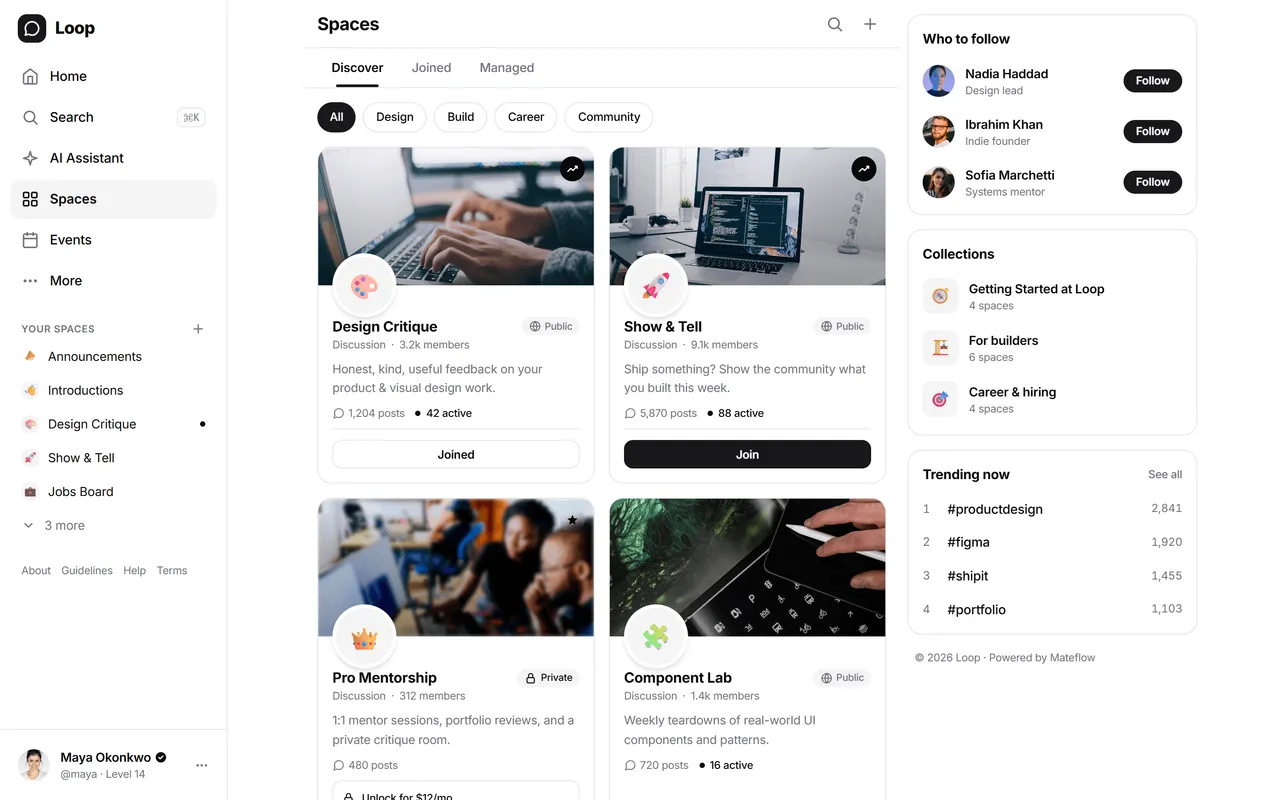
Space types
Seven space types, not three layout skins
You pick the type when you create a space. Each one changes what a post is, how it is composed, and how members read it.
Feed Space
Posts and replies in a running conversation. The default shape for a discussion group.
Gallery Space
Posts that require an image or video, laid out as a grid. For work in progress, portfolios and visual challenges.
Radio Space
Posts that require audio. For episodes, recordings and updates members listen to rather than read.
Article Space
Long-form writing with a title and a body, published to readers instead of dropped into a stream.
Chat Space
A real-time room inside the community, carrying the same identity, roles and access rules as everywhere else.
Course Space
Sections, lessons, progress and quizzes — and each lesson's discussion flows back into the space.
Q&A Space
Questions with answers attached, so the reply that solved it is the one the next member finds.
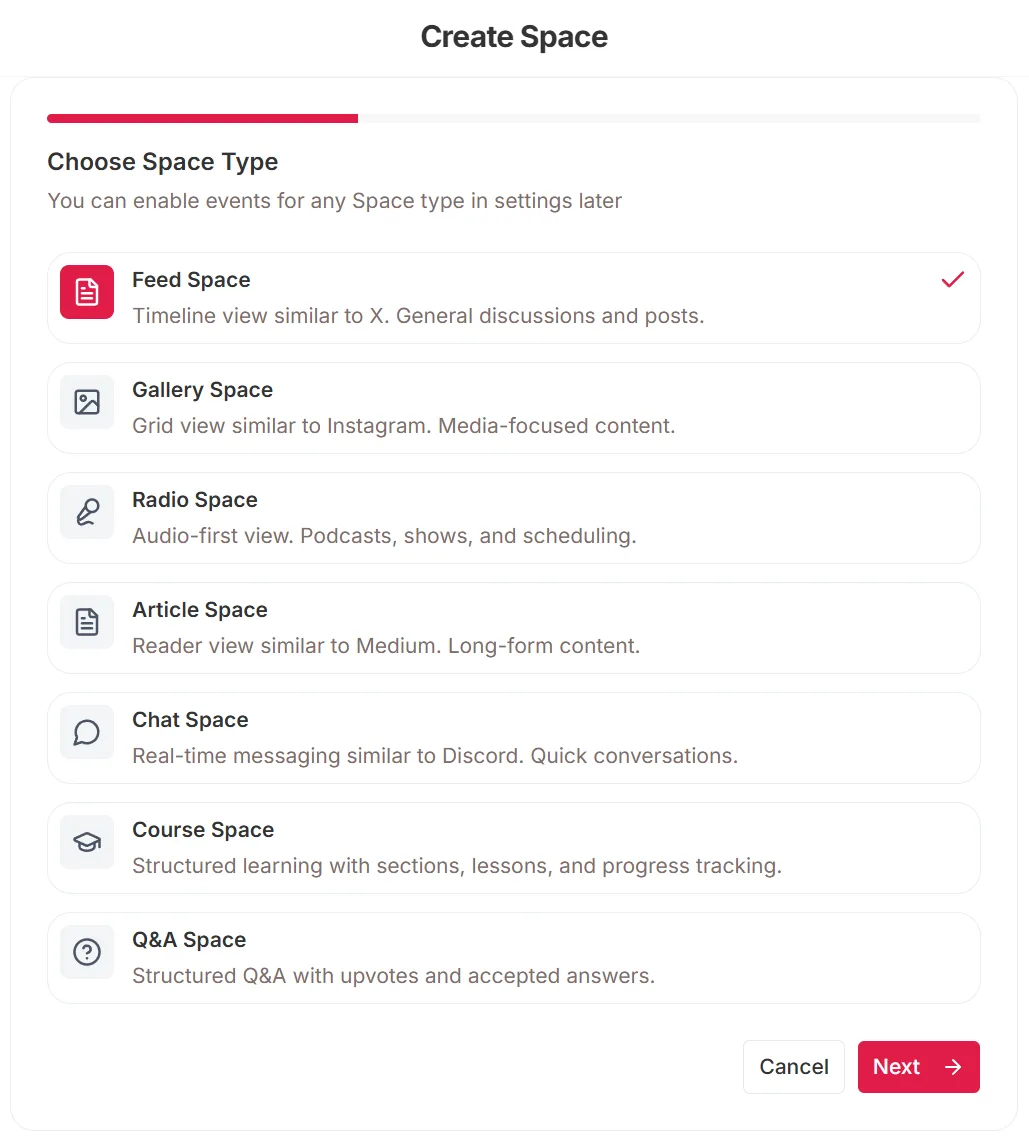
Events are a setting on a space rather than a type of their own, so any of the seven can host them.

How it works
From zero to structured community in minutes
Spaces give you the building blocks to organize any community — without needing a developer or a complicated setup.
Create a space
Pick one of the seven space types, name it, and set who can see it. The type decides what a post looks like here.
Configure access & rules
Choose how members get in — open, by request, by payment, or by invitation — then set separately who can post and who can reply.
Members engage
Members discover, join, and participate in spaces that match their interests — with clear boundaries and less noise.
Capabilities
Everything you need to structure your community
Spaces are the core organizing unit of a Mateflow community — flexible enough to support several operating models at once.
Seven space types
Feed, gallery, radio, article, chat, course and Q&A — each a different way to participate, chosen per space.
Granular access control
Visibility, join policy and posting rights are three separate settings, so access matches how the space is actually used.
Categories & collections
Organize spaces for discoverability and create cleaner mental models for members as the community grows larger.
Pinned & featured content
Keep important posts and reference material visible so members do not need to rediscover the same guidance repeatedly.
Space-level membership
Treat spaces as real sub-communities with their own member expectations instead of forcing every audience into one noisy container.
Threaded discussions
Preserve conversation structure inside spaces so they can support more serious engagement over time.
Access model
Who can read it and who can join it are two different questions
Most platforms collapse these into one setting. Keeping them apart is what lets a space be publicly readable but closed to new members, or members-only but open to anyone who asks.
Visibility — who can read
Set per space, independent of how members get in.
- Public — readable by anyone, including logged-out visitors
- Private — readable by members of that space
- Secret — invisible to anyone who is not a member
Joining — who can get in
The join button renders from this, not from visibility.
- Open — members join instantly
- Request — you approve each one
- Paid — a subscription or a one-off purchase
- Invite — invitation only, no public join
Participation — who can post and reply
Posting and replying are set separately, so a space can be readable by all and writable by few.
- Anyone who can read the space
- Joined members only
- Admins and moderators only
Why structure becomes a product advantage
The bigger the community gets, the more the information architecture determines whether members can actually navigate it.
Support multiple audiences
Creators, brands, and education operators all need ways to separate free, paid, private, and audience-specific activity.
Reduce noise at scale
Good structure matters as much as engagement mechanics — it shapes whether members can find relevance quickly.
Make access rules visible
Spaces help members understand what is open, what is premium, and what belongs to a different part of the experience.
Keep the community navigable
The more product surfaces you add, the more important it becomes that the information architecture can absorb them cleanly.
Real space structures
Three communities, three completely different space layouts
The same structural model supports different businesses. Here is what the sidebar actually looks like for each.
Creator program
Free audience + paid inner circle on one community.
Sidebar
- Announcements
- Free community
- VIP lounge
- Office hours
- Resource library
B2B customer community
Customer hub with structured support and roadmap.
Sidebar
- Product roadmap
- Feature requests
- Customer support
- Partner program
- Case studies
Cohort education
Separate cohort containers with their own lifecycle.
Sidebar
- Cohort #3 (current)
- Cohort #2 (alumni)
- Live classes
- Capstone projects
- Mentor circle
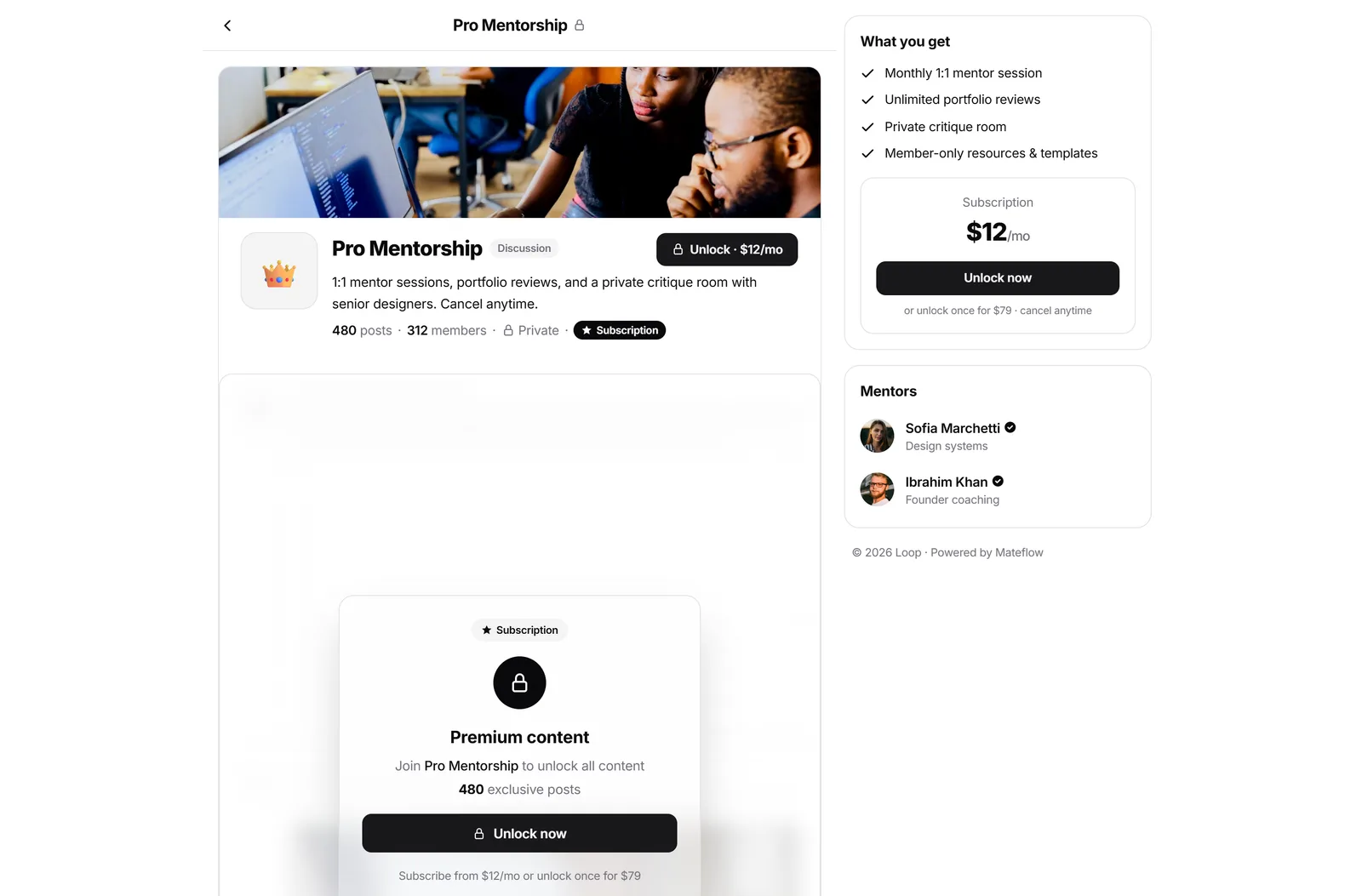
Each space carries its own visibility, posting rules, and tier gates — set once, enforced everywhere.
Spaces — frequently asked questions
How Mateflow Spaces structure a community with layouts, access control, and gating.
Seven types: Feed for running discussion, Gallery for image and video posts, Radio for audio, Article for long-form writing, Chat for real-time rooms, Course for structured lessons, and Q&A for questions with answers. You pick the type when you create the space.
Yes, and separately. Visibility decides who can read a space — public, private, or secret. Join policy decides who can get in — open, by request, by payment, or by invitation. Posting and replying are set on top of that, to everyone who can read, to joined members, or to staff only.
Yes. A space can require a membership tier, or carry its own price as a subscription or a one-off purchase, so premium spaces become part of your paid layer without a separate paywall tool.
A flat forum puts everything in one chronological feed. Mateflow Spaces give each sub-community its own layout, access rules, and pinned content, so members join only what matters and navigate a structured community instead of noise.
Every plan, and without a cap. Spaces are unlimited on Starter, Growth, and Business alike — they are the core organizing unit of a Mateflow community, not a paid add-on and not something you buy in packs.
Keep learning
Related guides & resources
Build the community structure your audience needs
Start with a 14-day free trial and turn spaces into a real structural advantage — not an afterthought.