Your community,your brand, your domain.
Custom domains, themes, CSS, white-label options, and navigation configuration — everything you need to make the community look and feel like your own product.
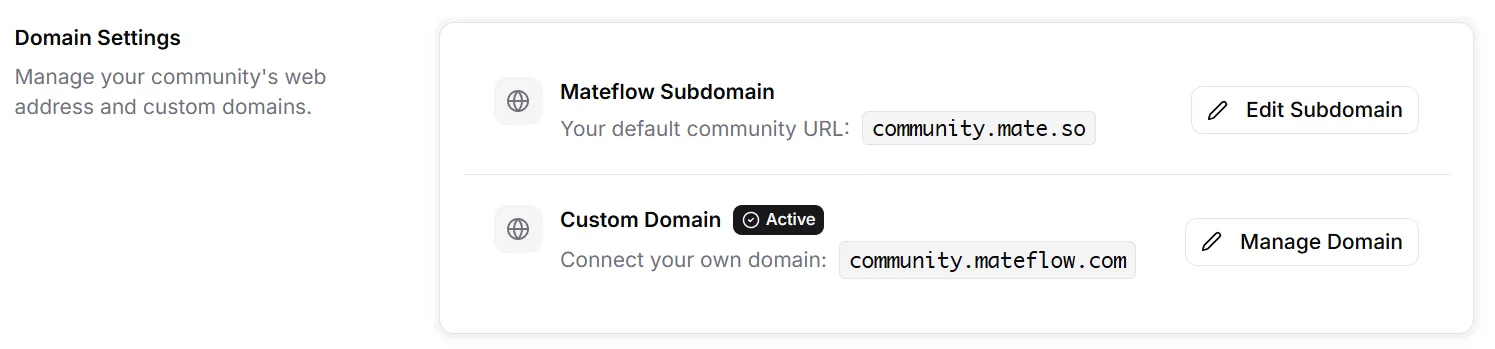
Customization depth
Three levels of brand control
Start simple and go deeper as your needs evolve. Logo, colors, themes and custom domains need no engineering — custom CSS is there when you want deeper control.
Quick brand setup
Set your logo and colors in minutes on any plan, and connect a custom domain on any plan. No design expertise required.
Deep customization
Custom CSS, navigation config, and theme overrides for teams that need pixel-level control over the community experience.
Full white-label
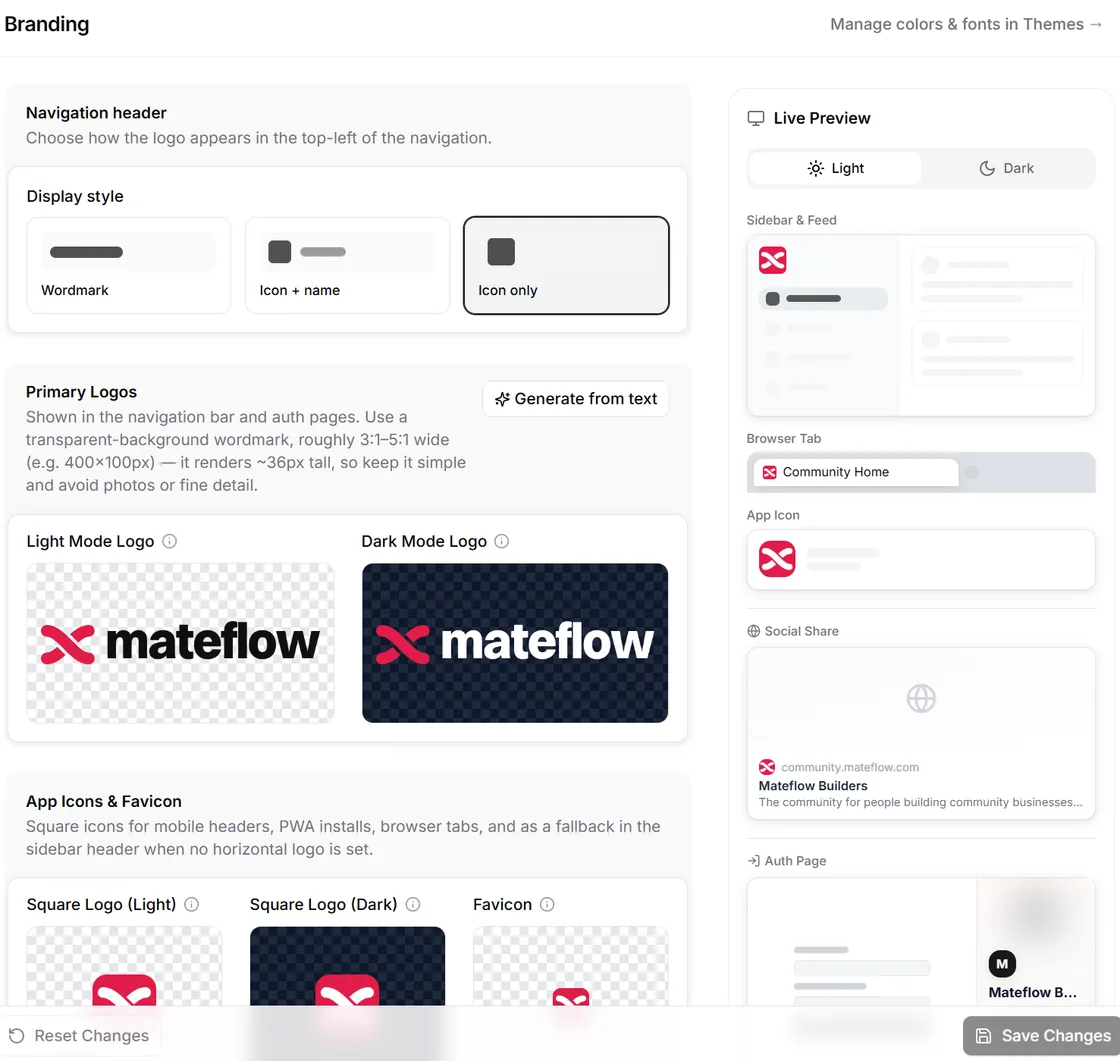
Remove all platform branding from the web community on Business and Enterprise plans. Your community, fully under your visual identity.
Capabilities
Full control over how your community looks
From quick color changes to deep CSS overrides, the branding system scales with your design ambition.
Custom domains
Run your community on your own domain with automatic SSL. Members see your brand, not ours.
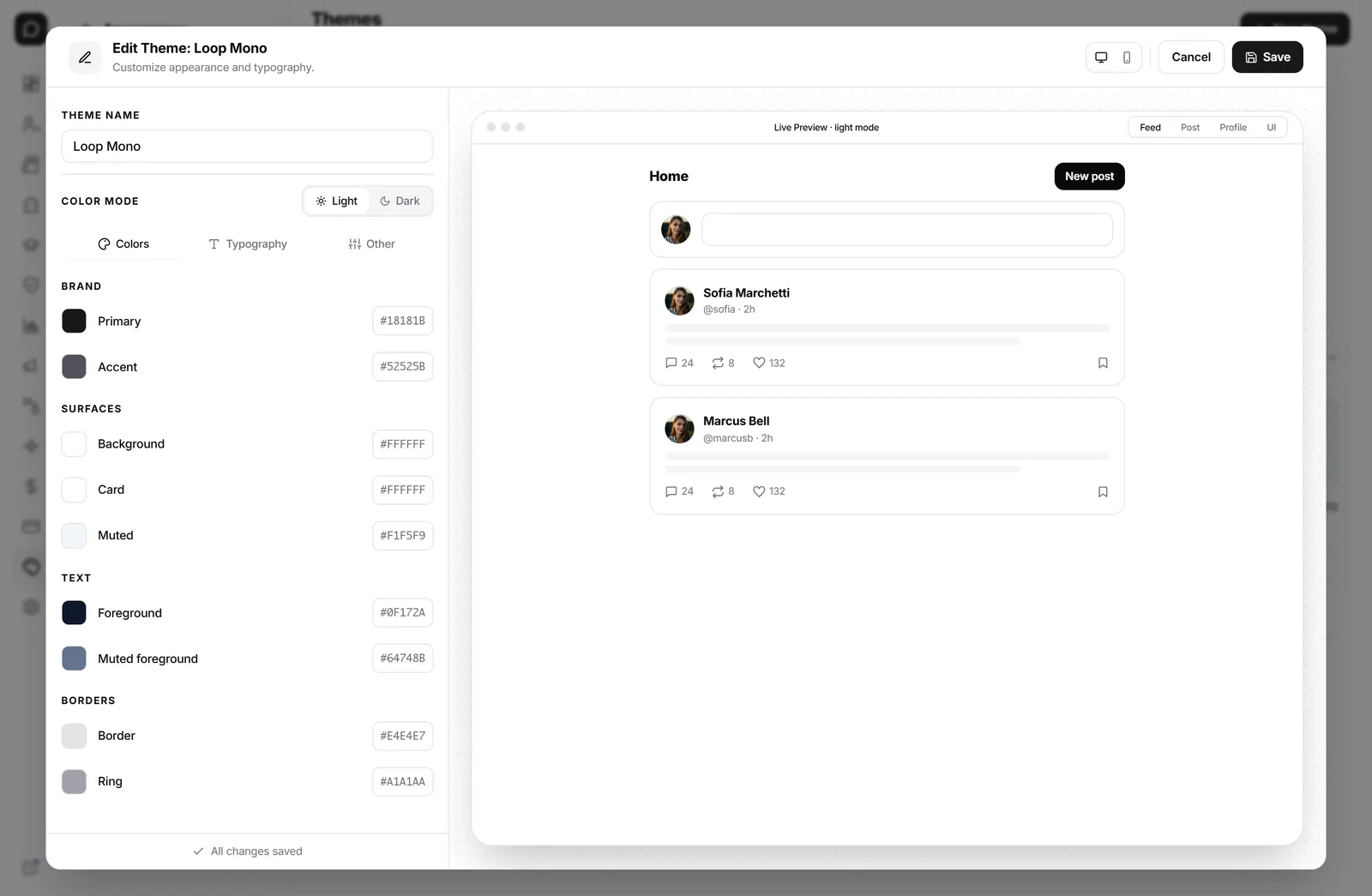
Theme and color system
Configure brand colors, typography, and visual style through the built-in design-token layer — no code required for most customizations.
Custom CSS
For deeper control, add custom CSS to override any visual element. Full flexibility for teams with design resources.
White-label
Remove Mateflow branding entirely from the web community on Business and Enterprise plans — your community, your brand, no "powered by" badge. Native apps published under your own app-store identity are on the roadmap.
Favicon and metadata
Set your own favicon, Open Graph images, and meta descriptions. Every detail of the public-facing brand is configurable.
Navigation configuration
Customize the navigation structure, sidebar layout, and page hierarchy to match how your audience expects to find content.
Brand showcase
The same platform, three completely different brands
With theme tokens, custom domains, and white-label control, no two Mateflow communities have to look alike. Same product, your visual identity.
Corporate / B2B
Northwind Customer Hub
community.northwind.com
Creator / Lifestyle
The Studio Inner Circle
circle.thestudio.co
Minimal / Editorial
Field Notes Club
club.fieldnotes.is
Theme system
Design tokens you can edit, not just a logo upload
Colors, typography, spacing, and radius all flow from a token layer. Change a token once and the entire community updates — no CSS required for most adjustments.
Color tokens
/admin/brandingPrimary
--primary
Accent
--accent
Surface
--surface
Foreground
--foreground
Muted
--muted
Border
--border
Typography
Live preview
Your community
Powered by your tokens
Edit a token in the admin console and every surface — feed, sidebar, buttons, emails — updates instantly.
For design teams
Drop into custom CSS when tokens are not enough
Override anything. The token layer covers most brand work; custom CSS handles the edge cases — pixel-precise card styling, custom animations, brand-specific layouts.
/* Override card hover */
.mf-post-card {
  border-radius: 1.25rem;
  transition: all .25s ease;
}
.mf-post-card:hover {
  transform: translateY(-2px);
  box-shadow: 0 12px 40px rgba(13,148,136,.18);
}

/* Brand-specific button */
.mf-cta-primary {
  background: linear-gradient(135deg, #0D9488, #F97316);
  letter-spacing: .01em;
}

/* Hide the default sidebar avatar ring */
.mf-sidebar .mf-avatar { box-shadow: none; }
Targeted classes
Every Mateflow surface ships with a stable mf- class prefix. Override only what you need without forking the theme.
Live preview + diff
Edits render in a sandboxed preview before publishing. Diff what changed across all member surfaces before pushing to the live community.
Available on Growth and above
Token editing is on every plan. The CSS editor unlocks on Growth — full white-label removal on Business and Enterprise.
Mateflow branding vs typical platforms
Most community tools let you upload a logo. Mateflow gives you the depth to make the community feel truly yours.
| Dimension | Mateflow Branding | Typical platform |
|---|---|---|
| Custom domain | Your domain with automatic SSL — on every plan | Subdomain default; custom domain on higher tiers |
| Visual customization | Design tokens, colors, typography + CSS editor | Logo + 1-2 accent colors, limited theme |
| White-label | Full removal on the web community — Business & Enterprise | "Powered by" badge typically required |
| Navigation | Configurable sidebar, pages, hierarchy | Mostly fixed layouts |
| SEO metadata | Favicon, OG images, meta per page | Global settings only |
| Theme preview | Live sandboxed preview before publishing | Publish-and-pray on most platforms |
Why brand ownership changes the community experience
The visual identity of your community directly affects how members perceive its value and your organization.
Own the member experience
When the community looks like your product, members build a relationship with your brand — not with a platform vendor.
Professional credibility
A custom domain and branded interface signals professionalism. Members and stakeholders take the community more seriously.
Consistent brand touchpoints
The community becomes an extension of your website, product, or marketing — not a disconnected third-party destination.
Reduce vendor lock-in perception
On Business and Enterprise, the web community carries no Mateflow branding at all — members deal with you, not a platform vendor. The native apps are still published under the Mateflow name today.
Who benefits most from deep branding control
Any community that wants to look purpose-built instead of hosted on a generic platform.
Brand-first communities
Make the community an extension of your brand identity. Custom domain, colors, and full white-label create a seamless experience.
Agency and reseller models
Build communities for clients under their brand. White-label and custom domains mean no Mateflow branding on the web community their members use; apps published under each client's own name are on the roadmap.
Premium membership products
A polished, branded experience justifies premium pricing. Members perceive more value when the product looks purpose-built.
Branding — frequently asked questions
Common questions about custom domains, theming, custom CSS, and white-label options.
Yes. You can run your community on your own domain with automatic SSL on every plan, so members see your brand instead of ours.
Full white-label is available on Business and Enterprise plans, which remove Mateflow branding entirely from the web community with no "powered by" badge. Members use the shared Mateflow mobile app today; native apps published under your own app-store identity are on the roadmap.
No. Brand colors, typography, and visual style are configured through the built-in design-token layer, so no code is required for most customizations.
Custom CSS unlocks on Growth and above. Token editing is available on every plan, while the CSS editor lets you override any visual element for pixel-precise control.
Yes. Edits render in a sandboxed preview before publishing, so you can diff what changed across member surfaces before pushing to the live community.
Keep learning
Related guides & resources
Build a community that looks like yours
Start with a 14-day free trial. Basic branding is included on every plan — custom domains are included on every plan too.